
🏡 Reel Estate: How to Share your Walkthrough Video on Instagram
- Sep 19, 2025
- 2 min read
If you're a real estate agent looking to maximize exposure for your listings, Instagram Reels are your secret weapon. Posting property Walkthrough Videos is a powerful way to showcase homes, attract buyers, and build your personal brand—all while tapping into Instagram’s algorithm-friendly format.
This guide will walk you through how to post your real estate Walkthrough Videos, how to add multiple clips, and how to select and add music using Instagram’s built-in video editor.
📲 Step 1: Download Your Walkthrough Video
Open the Walkthrough Video link in your photoshoot delivery email.
Tap the Fast Walkly link.
In the next window tap Download.


🎥 Step 2: Upload Your Walkthrough Video to Instagram Reels
Open the Instagram app and tap the "+" icon.
Select Reel from the bottom menu options.
Select your Walkthrough Video from the media gallery and tap Next. ➡️


🎶 Step 3: Add Music to Enhance Your Walkthrough Reel
Music adds polish and emotional appeal to your Walkthrough Video. Here’s how to add music to your Instagram Reel:
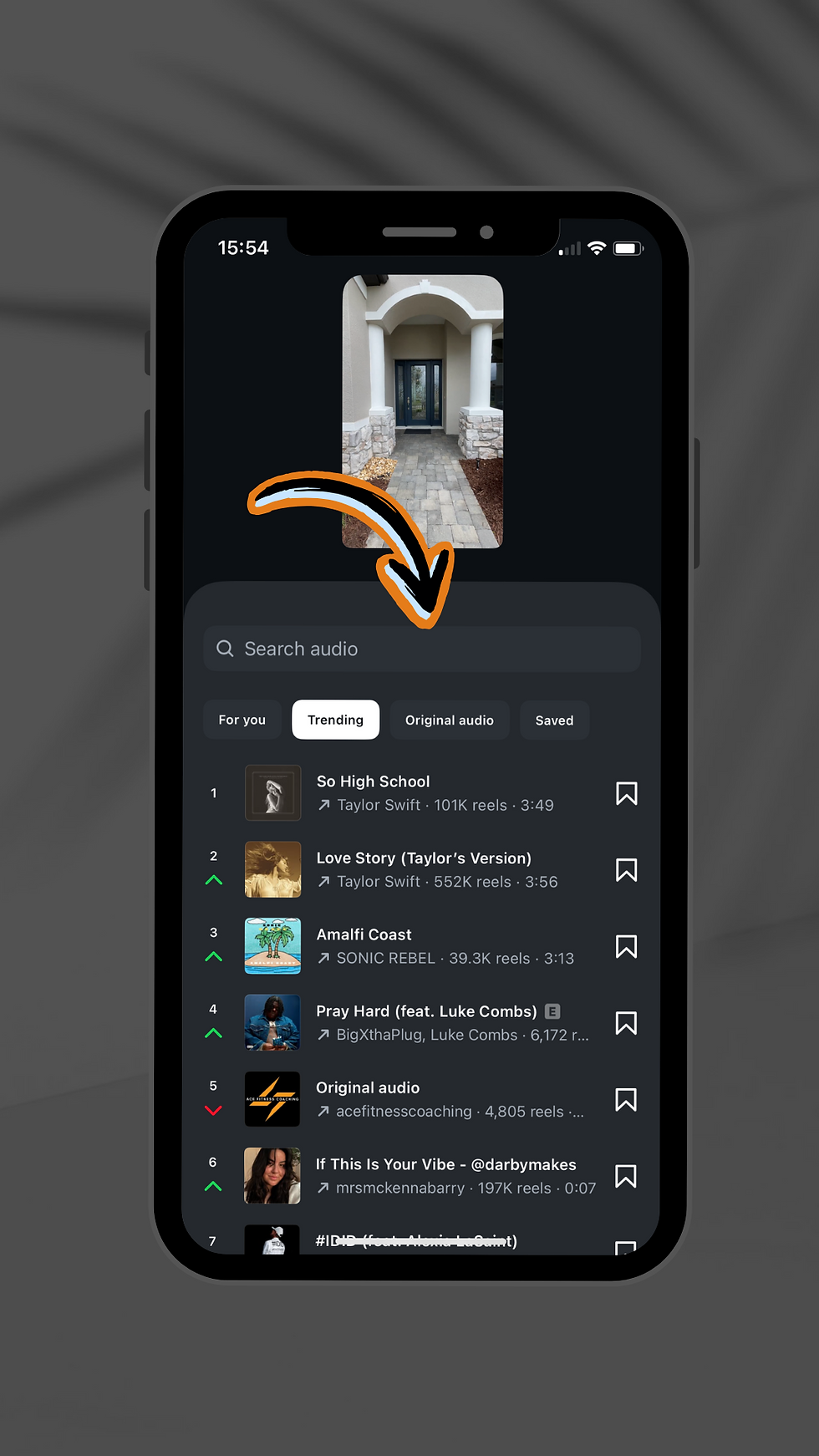
Tap the Audio icon 🎵 on the bottom menu.
Search for trending songs or browse by mood or genre. Tap a song to preview it.
Select a song by tapping the arrow on the audio player. ➡️
Select the portion of the track that best fits your video.
Tap Done.
Tip: Chose the wrong track? Tap the album cover at the top center of the screen to return to the audio menu.

🎬 Step 4: Finalize and Post your Walkthrough Video
Once you’ve finished editing your Walkthrough Video, tap Next. ➡️
Write a compelling caption and include relevant hashtags.
Tap Edit cover to choose a cover image that represents the property - either from the video or upload a custom thumbnail image.
In this menu you can also add location, link your Facebook account to cross-post and set your audience.
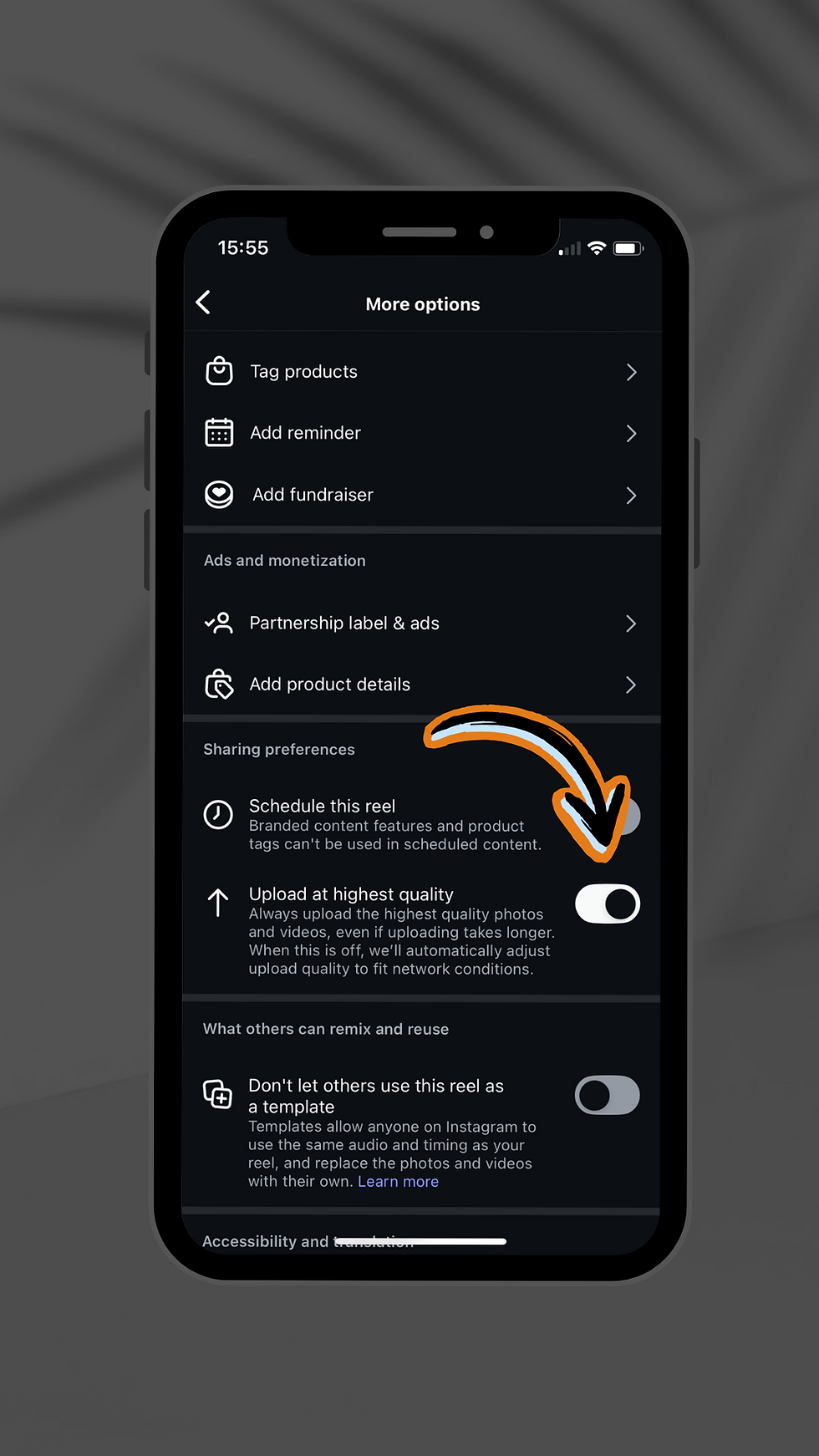
Scroll down and tap More Options to turn on Upload at highest quality.
When ready, tap Share and let your listing shine.


💡 Why Walkthrough Videos Work for Real Estate Agents
Walkthrough Videos are a game-changer for real estate marketing. They help you:
Drive more buyer interest
Expand your reach
Build trust and credibility
Whether you're showcasing a luxury property or a cozy starter home, Walkthrough Videos let you tell the story of a space in a way that static photos simply can't.


